
Web Designing and UI/UX: An Overview
Web design refers to the overall design and layout of a website, including everything from the structure to the colors, fonts, and images used. UI (User Interface) and UX (User Experience) are critical aspects of web design that focus on how users interact with a website or application.
Web Design Basics
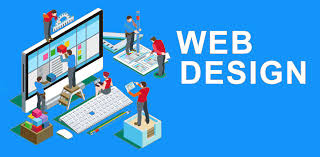
Web design is more than just making a site look good; it’s about creating an effective user experience and ensuring functionality, accessibility, and usability. Here’s a breakdown:
- Layout:
- This refers to the arrangement of elements on a webpage. A well-organized layout makes it easier for users to find information and interact with the content. Common design patterns include grids, single-page layouts, and multi-column designs.
- Color Scheme:
- The color palette used on the site affects its mood, readability, and the user’s emotional connection. For instance, blues might be used for corporate sites to evoke trust, while vibrant colors can create excitement for more creative industries.
- Typography:
- Choosing the right fonts can improve readability and convey the brand’s personality. Web-safe fonts or Google Fonts are often used to ensure consistency across devices.
- Images and Graphics:
- High-quality images and graphics enhance the visual appeal. It’s essential to optimize images for quick loading times while still keeping them visually striking.
- Responsiveness:
- Responsive design ensures that a website works well on all devices, from desktops to tablets and smartphones. This is achieved through flexible grids, images, and CSS media queries.
- Navigation:
- Clear and intuitive navigation is crucial. A simple navigation menu helps users easily find what they’re looking for, whether through top navigation bars, side menus, or footer links.
- Content Organization:
- How content is structured and presented matters. Information should be organized logically, often using headings, subheadings, and bullet points to make it easy to digest.
- Performance and Speed:
- A slow-loading website can turn users away. Good web design practices ensure the site is optimized for speed, which improves the user experience and helps with SEO.
- Accessibility:
- Web design should be inclusive, meaning it’s accessible to people with disabilities. This involves using proper color contrast, providing alt text for images, and ensuring the site is navigable via keyboard for those with visual impairments.
UI (User Interface) Design
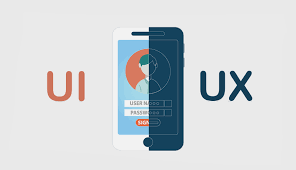
UI design is about how a website or application looks and how users interact with it. It focuses on creating the visual elements that allow users to interact with a system. Key principles of UI design include:
- Consistency:
- A consistent interface helps users understand how to interact with the site or app. This includes consistent use of buttons, fonts, colors, and layout patterns across the platform.
- Clarity:
- Every element should have a clear purpose and be intuitive to use. For instance, buttons should look clickable, and text should be legible.
- Hierarchy:
- Information should be presented in a way that guides users’ attention to the most important parts first. Visual hierarchy is achieved using size, color, contrast, and layout.
- Affordance:
- This refers to the design elements that suggest their functionality. For example, a button should look clickable, and links should appear as text that can be interacted with.
- Feedback:
- UI elements should provide feedback to users. For example, when a user clicks a button, it should visually indicate that it’s been pressed, and form fields should notify users of errors.
- Interactive Elements:
- UI design includes things like buttons, sliders, forms, and icons. These elements should be designed in a way that’s both visually appealing and easy to use.
- Visual Design:
- The aesthetics of the interface should match the purpose of the website or app. For example, an e-commerce site may use bold, bright colors to attract attention, while a financial website might use more muted tones to convey trust.
UX (User Experience) Design
UX design focuses on the overall feel and usability of a website or application, aiming to create the best possible experience for the user. It’s about understanding user needs, behaviors, and pain points. Key aspects of UX design include:
- Usability:
- A usable website or app is intuitive, easy to navigate, and simple to interact with. The goal is to minimize the user’s effort in completing tasks.
- User Research:
- UX design starts with understanding the target audience. Through surveys, interviews, and data analytics, designers can uncover what users want, need, and expect from the site or app.
- Wireframing and Prototyping:
- UX designers often start by creating wireframes and prototypes of their designs. Wireframes are basic sketches of a webpage layout, while prototypes are interactive models that simulate user interaction.
- Information Architecture:
- Organizing and structuring the content so that users can easily find what they are looking for. This includes creating site maps, categorizing information, and ensuring the flow is logical.
- User Testing:
- Testing the design with real users to identify pain points, confusion, and areas for improvement. This can be done through usability testing, A/B testing, and gathering user feedback.
- Flow and Interaction:
- The flow of a website or application should be seamless, guiding users from one step to the next without unnecessary hurdles. This is especially important for tasks like completing a purchase or signing up for an account.
- Emotional Design:
- UX designers aim to create a positive emotional response from users, making their interactions pleasant and engaging. For example, a website may use friendly language, enjoyable animations, and attractive visuals to enhance user experience.
- Task Efficiency:
- UX designers strive to make it as easy and quick as possible for users to complete their tasks. This could involve reducing the number of steps in a process or streamlining navigation.
Differences Between UI and UX
- UI (User Interface) is about how the product looks—its design, the visual aspects, and interactive elements (buttons, icons, typography, etc.).
- UX (User Experience) is about how the product feels and functions—ensuring the experience is enjoyable, intuitive, and efficient.
Best Practices for UI/UX Design
- Understand Your Users:
- Conduct research to understand your audience’s needs, pain points, and behaviors. Tailoring your design to the users is key to providing a great UX/UI.
- Consistency Across the Design:
- Consistent design patterns and UI elements help users feel comfortable and navigate more easily. Consistency builds familiarity and trust.
- Simplicity:
- Simplicity is often the key to a great user experience. Don’t overload your interface with too many elements. Focus on the essentials and ensure that every element serves a purpose.
- Mobile-First Design:
- With the increasing use of mobile devices, designing with a mobile-first approach is essential. This means creating a responsive design that prioritizes the mobile experience first, then scales up for desktop.
- Prioritize Accessibility:
- Ensure that your design is usable by people with disabilities. This includes using screen readers, providing alt text for images, and ensuring that text is readable for those with visual impairments.
Tools for Web Design, UI/UX Design
- Design Software: Adobe XD, Figma, Sketch, InVision (for wireframing, prototyping, and designing)
- Prototyping Tools: Figma, Marvel, Axure, Proto.io
- UI Kits: Material Design, Bootstrap (for pre-designed UI components)
- Collaboration Tools: Miro, Zeplin, Figma (for team collaboration and feedback)
- Testing Tools: Hotjar, UsabilityHub, Google Analytics (for user testing and behavior tracking)
Conclusion
Good web design, UI, and UX are all about creating seamless, functional, and visually appealing experiences for users. While UI focuses on how the interface looks, UX ensures that the website or app is user-friendly and delivers value. Both are interdependent and essential for creating a successful digital product.